
A library, not a pile of windows.
Save independent Telegram Web sessions, label them, search them, and open them when you need them.
Telegram may occasionally require a fresh login.WINDOWS / INDEPENDENT TELEGRAM WORKSPACE
Keep your accounts close.
Keep your desktop clear.
Separate sessions. A space that feels like yours. Open what you need, let the rest sleep.
Windows x64 · Independent software · Open-source foundation
01 / THE WORKSPACE
A library for the accounts you use.
A control panel for how you use them.
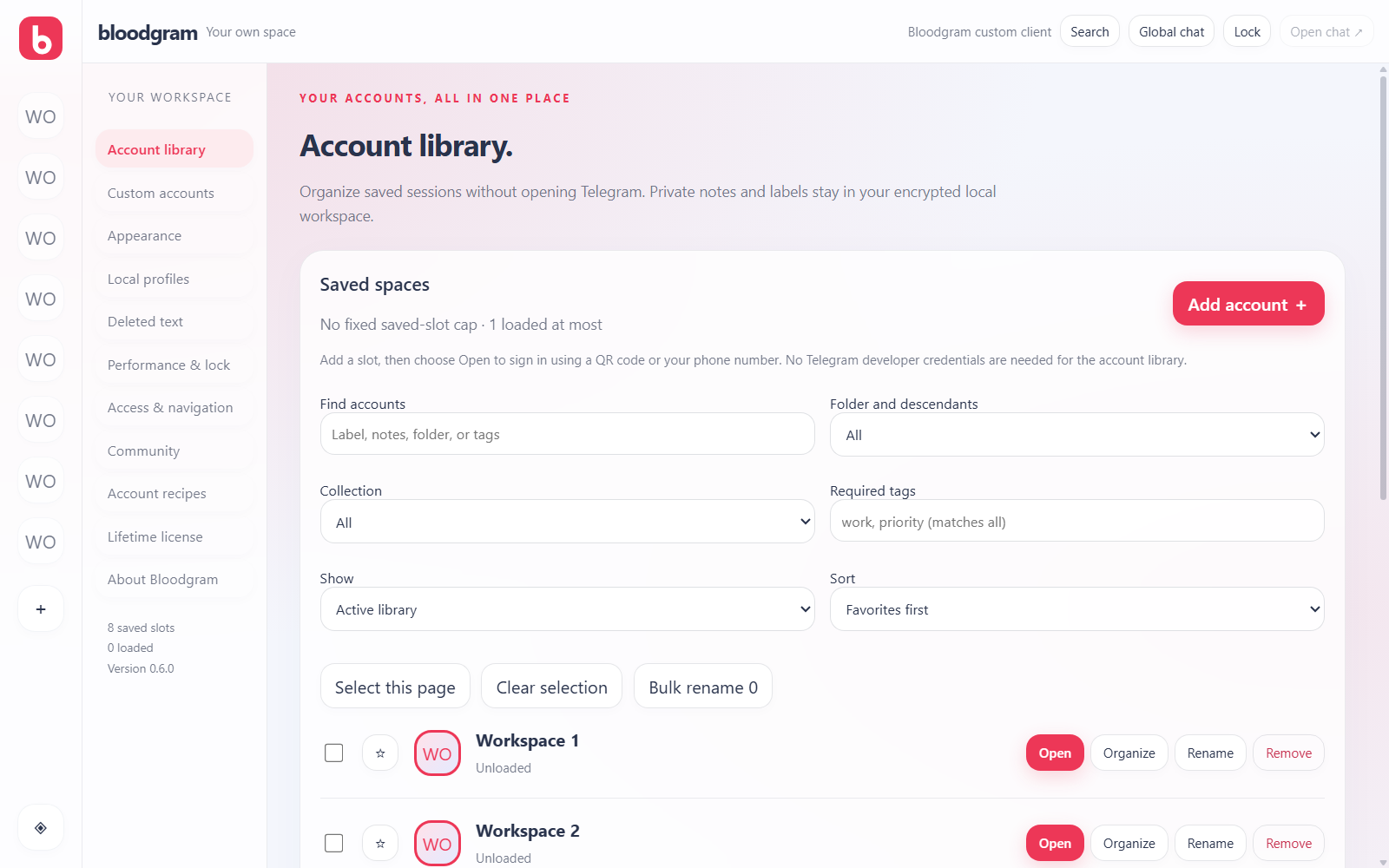
01 Sign in once per slot.
02 Search. Open. Switch.
03 Leave unused sessions unloaded.
02 / BUILT AROUND YOUR DAY
The details that make a workspace feel right.
Save independent Telegram Web sessions, label them, search them, and open them when you need them.
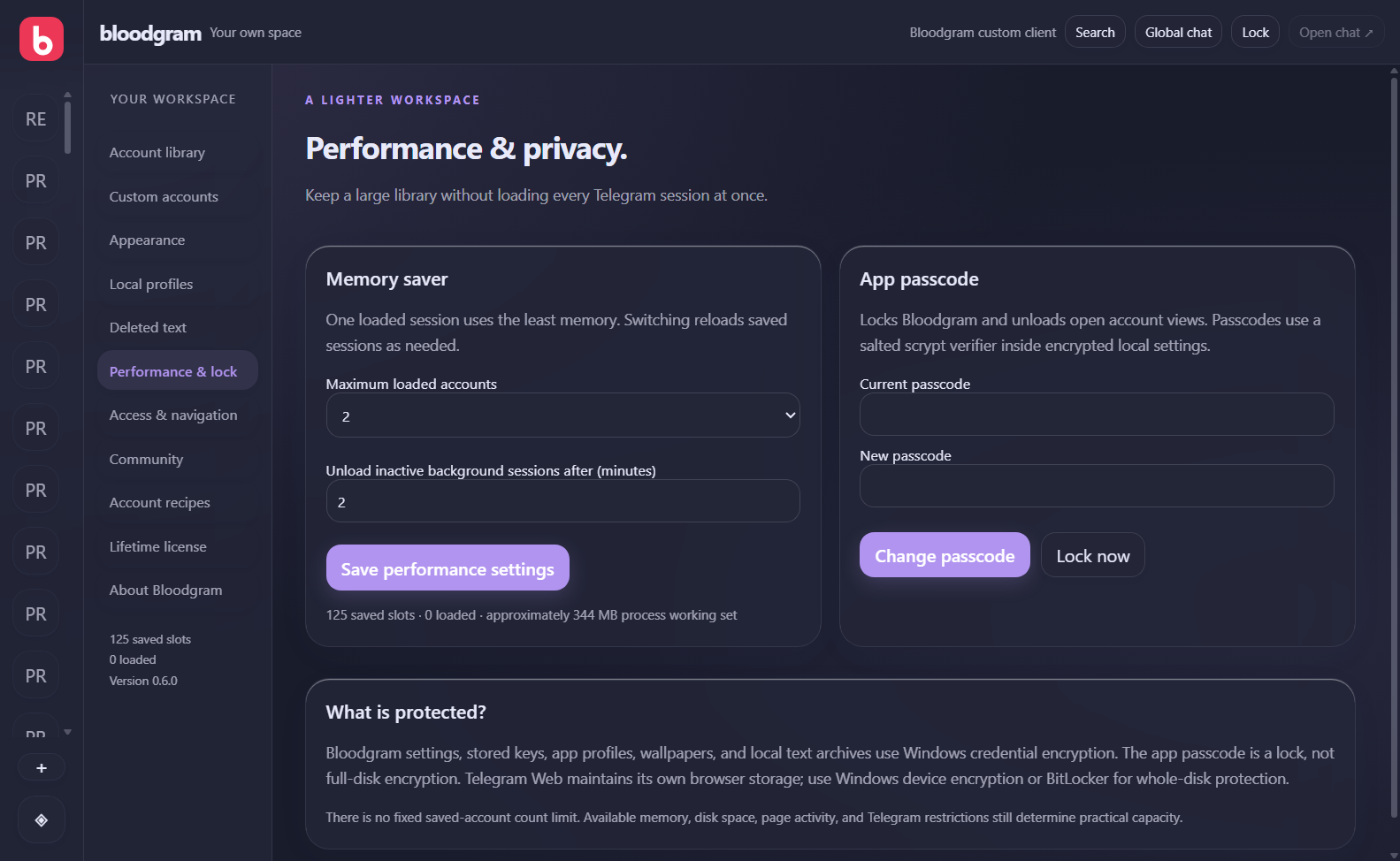
Telegram may occasionally require a fresh login.Start with one loaded session. Set a limit of up to three, automatically unload idle background views, and inspect current memory use.
Performance still depends on your PC and activity.Dark or light. Still or animated. Adjust color, blur, corners, wallpaper, and type size—including images you upload yourself.
Original Telegram Web retains its own appearance settings.Keep your workspace private with a passcode and automatic locking.
Local settings are protected with Windows encryption.A separate Bloodgram community with app profiles, rules, slow mode, link filtering, and moderation.
Community features require the Bloodgram server.Import reviewed JSON recipes to open, rename, or unload saved slots. Preview each step before you run it.
Unrestricted JavaScript and shell scripts are not supported.03 / A QUIETER DESKTOP
A saved account doesn’t need an open browser view. Bloodgram keeps the library and its loaded sessions separate.
Save your accounts. Keep only the sessions you need running.
04 / GET ACCESS
Buy directly from @mrzxn on Telegram. Agree on a payment method, confirm the purchase, and receive your signed key from the owner.
Ask about availability and the current Windows release.
Crypto or another method arranged directly with the seller. This website does not take payments.
After payment is confirmed, you receive your lifetime key. Paste it into Bloodgram, then add your Telegram accounts.
$5USD
For one Windows computer.
A lifetime key has no scheduled expiration. One computer per key. First activation requires our server; afterward, the activated computer can unlock offline. Community services require a connection. Telegram Premium is separate.
05 / BEFORE YOU START
There is no fixed saved-slot cap in Bloodgram. Available disk space, memory, and Telegram’s restrictions set the practical limits. Only one to three sessions stay loaded at once.
The account library loads official Telegram Web and supports its QR and phone login without your own API credentials. Choose QR or phone login in each new slot.
Bloodgram settings and local assets are encrypted for the Windows user. Server records use authenticated encryption, and production connections require HTTPS. Global chat is moderated and is not end-to-end encrypted. Telegram browser storage needs device or full-disk encryption for comprehensive protection at rest.
The current build is unsigned and may be blocked by Windows application-signing policies. Ask @mrzxn for release status before paying. Real account login and production deployment still need final verification.